
Summary
A professional service website first impression is made in three seconds, and slow speed, unclear messaging, or poor design drives visitors away. Clear above-the-fold content, mobile-friendly performance, trust signals, and a strong call to action are essential to reduce bounce rate and keep prospects engaged.
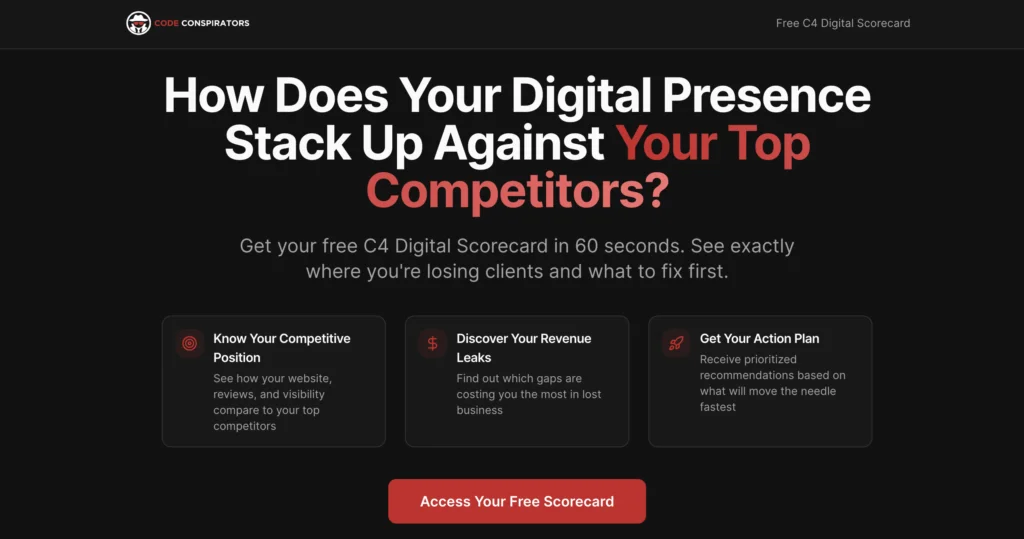
Think of your website as your digital handshake. In today’s fast-paced world, people decide if they like you, trust you, and want to do business with you within the first three seconds. If your professional service website isn’t making a strong, clear impression right away, you’re likely losing potential clients before they even get a chance to see what you offer. This isn’t about fancy tricks; it’s about getting the basics right to stop visitors from hitting that back button.
Key Takeaways
- Your professional service website’s first impression is formed in about 3 seconds. If it’s slow, confusing, or unprofessional, visitors leave.
- Clarity is king: Visitors need to instantly know who you help, what you do, and why they should care, especially above the fold.
- Mobile-friendliness and lightning-fast loading speeds are non-negotiable; people are impatient and use phones heavily.
- Trust signals like real testimonials, case studies, and professional design are vital to prove you’re credible.
- A clear call-to-action on every page guides visitors, preventing them from getting lost and turning them into leads.
The 3-Second Showdown: Why Your Professional Service Website Is Losing Visitors
The Blink-and-You’ll-Miss-It First Impression
So, you’ve got a website. Great. You probably spent a decent chunk of change on it, right? It looks… fine. But here’s the kicker: when someone lands on your digital doorstep, you’ve got about as long as it takes to blink to make them stick around. We’re talking three seconds, folks. That’s it. In that tiny window, a visitor is already forming an opinion. They’re asking themselves: “Who are you?”, “What do you do?”, and most importantly, “Should I even be here?” If those answers aren’t screamingly obvious within those first few seconds, they’re hitting the back button faster than you can say “lead generation.” It’s a brutal reality, but your website’s first impression is almost entirely visual and speed-based.
Why Speed Is King (Or Queen, We Don’t Discriminate)
Let’s talk about speed. It’s not just a nice-to-have; it’s the gatekeeper of your entire online presence. Imagine a potential client searching for your services late at night, stressed and needing answers. They click your link, expecting immediate help, but instead, they’re met with a spinning wheel. According to Google, a whopping 53% of mobile users will ditch a site if it takes longer than three seconds to load. That’s more than half of your potential business, gone. Poof. It’s like having a physical storefront with a faulty door that takes ages to open – people just walk away. This isn’t about fancy tech; it’s about basic customer experience. A slow site screams “amateur” and “unreliable,” and nobody wants that.
The Brutal Statistics: Are You Bleeding Revenue?
Look, numbers don’t lie, and the numbers for slow websites are pretty grim. We’re not just talking about a few lost clicks; we’re talking about significant revenue loss. Consider this:
- 40% of visitors leave if your site takes more than 3 seconds to load.
- 88% of consumers won’t return after a bad experience.
- 75% of users judge your credibility based on your website’s design.
If your website isn’t fast and clear from the get-go, you’re essentially leaving money on the table. It’s not just about looking good; it’s about functioning well enough to keep people from running to your competitors. Think of your website as your most hardworking salesperson – if they’re too slow to even greet a customer, they’re not going to close any deals.
This is why having a visually appealing site is only half the battle. You need to make sure your website visuals are not only attractive but also load quickly. It’s a package deal, and if one part is broken, the whole thing falls apart.
Is Your Website Speaking Gibberish? The Language Barrier Problem

Translating Jargon into Customer Wins
Ever land on a professional service website and feel like you need a decoder ring just to figure out what they actually do? Yeah, us too. It’s like they’re speaking a secret language filled with industry buzzwords and technical mumbo jumbo. Your potential clients aren’t looking to be impressed by your vocabulary; they’re looking for solutions to their problems. If your website sounds like a textbook written by robots, people are going to bounce faster than a rubber ball on a trampoline.
Think about it: someone is coming to you because they have a pain point. They need help. They don’t need a lecture on the intricacies of your methodology using terms they’ve never heard before. They need to know, in plain English, how you can make their life easier or their business better.
Here’s a quick way to check if you’re speaking gibberish:
- Ask a friend (or your grandma): Read your homepage copy aloud to someone completely outside your industry. If they look confused, you’ve got a problem.
- Highlight the jargon: Go through your site and highlight every single word that isn’t common knowledge. If you highlight more than a handful, it’s time for a rewrite.
- Focus on benefits, not features: Instead of saying “We utilize a proprietary AI-driven analytics platform,” try “We help you understand your customers better so you can sell more.”
The “You” Test: Are You Talking About Yourself Too Much?
This one’s a classic. So many service websites are obsessed with talking about themselves. “We are leaders in the field,” “Our team has decades of experience,” “We offer unparalleled services.” Blah, blah, blah. Nobody cares about your “unparalleled services” until they know how those services will benefit them.
It’s like going on a date and only talking about yourself. Awkward, right? Your website should be the same. Shift the focus from “we” to “you.” Instead of listing your awards, talk about how those awards mean you’re exceptionally qualified to solve their specific problem.
Here’s a simple breakdown:
| Before (Too Much “We”) | After (Focus on “You”) |
|---|---|
| We provide innovative solutions. | You get solutions that solve your unique challenges. |
| Our team is highly skilled. | You benefit from our team’s skills to achieve your goals. |
| We have years of experience. | You can trust our experience to guide you through complex issues. |
It’s a subtle shift, but it makes a world of difference. People want to know what’s in it for them, not just read your company’s autobiography.
Local Flavor: Connecting with Your Community
Unless you’re a global conglomerate, chances are you serve a specific geographic area or community. If your website feels like it could be anywhere, you’re missing a huge opportunity to connect. Showing you understand and are part of the local landscape builds instant trust and relevance.
Think about it: if you need a local plumber, are you more likely to trust the one whose website talks about “synergistic solutions” or the one that mentions “serving the Springfield area for over 20 years” and maybe even has a picture of a local landmark?
- Mention your location: Don’t be shy about naming the towns, cities, or regions you serve. Put it on your homepage, your contact page, and sprinkle it throughout your content where it makes sense.
- Show local pride: If you sponsor local events, are part of community groups, or have testimonials from local clients, highlight them! It shows you’re invested.
- Use local imagery (carefully): Instead of generic stock photos, consider using photos of your actual team, your office, or even recognizable local spots (if appropriate and high quality). This makes your site feel grounded and real.
If your website sounds like it was written by a marketing bot that’s never actually set foot in your town, it’s time to inject some personality and local relevance. People hire people, and they often prefer to hire people who feel like neighbors.
The “Amateur Hour” Design That Kills Credibility
Let’s be real. Your website is the digital equivalent of your office lobby or your storefront. If it looks like you threw it together with a free template and some questionable clip art, people are going to assume your services are just as shoddy. And honestly? They’re probably right. A sloppy website screams “I don’t care enough to invest in my own business, so why should you invest in me?”
Why Stock Photos Are a No-Go Zone
Seriously, who are you trying to fool with those cheesy stock photos? You know the ones: the overly happy diverse group shaking hands, the person pointing at a whiteboard with scribbles, the “business professional” staring intensely at a laptop. These images scream “generic” louder than a foghorn. They tell visitors you couldn’t be bothered to get real photos of your actual team or your actual work. It’s like wearing a fake mustache to a job interview – it just doesn’t work.
Consistency is Key: Branding Beyond the Logo
Your logo is just the tip of the iceberg. True branding is about consistency. Are you using the same fonts everywhere? Do your colors match across all pages? If one page looks like it belongs to a law firm and the next like a kid’s birthday party invitation, you’ve got a problem. This inconsistency makes your site feel disjointed and, frankly, unprofessional. It’s like showing up to a formal event in a tuxedo and flip-flops.
The Power of White Space: Don’t Crowd Your Message
Ever visited a website that felt like a cluttered garage sale? Walls of text, images crammed together, no breathing room anywhere? That’s not just ugly; it’s overwhelming. White space, or “negative space,” isn’t empty; it’s a design tool. It guides the eye, makes content easier to digest, and gives your site a clean, sophisticated feel. Think of it as giving your visitors a comfortable place to sit and read, rather than shoving them into a tiny, stuffy closet.
Here’s a quick rundown of what makes a design feel amateur:
- Generic Stock Photos: The handshake, the whiteboard, the “teamwork” shots.
- Inconsistent Branding: Different fonts, clashing colors, no cohesive look.
- Cluttered Layouts: Walls of text, tiny images, no visual hierarchy.
- Outdated Design Trends: Think Flash animations or auto-playing music (please, no).
- Poor Typography: Hard-to-read fonts, inconsistent sizing, bad line spacing.
When your website design is sloppy, it directly impacts how people perceive your business’s credibility. Studies show a huge percentage of consumers judge a company’s trustworthiness based on its website’s appearance. If it looks cheap or outdated, they’ll assume your services are too.
Mobile Mayhem: Are You Ignoring Your Most Impatient Visitors?
Let’s be real, most people aren’t browsing your professional service website on a giant desktop monitor anymore. They’re on their phones, probably while juggling a coffee, waiting in line, or trying to sneak a peek during a boring meeting. And guess what? They have the attention span of a goldfish on espresso. If your site isn’t lightning-fast and super easy to use on a small screen, you’re basically telling potential clients to take their business elsewhere. And they will.
The Mobile-First Reality Check
Think about your own online habits. When you pull out your phone to find a service, are you patient? Probably not. You want answers now. Google knows this, which is why they prioritize mobile-friendly sites in their search results. If your website looks like a shrunken-down desktop version that requires endless pinching and zooming, you’re already losing. It’s not just about looking okay; it’s about being usable. This means your website needs to be designed for phones first, not as an afterthought.
Fingertip-Friendly Navigation and Click-to-Call
Ever tried to tap a tiny link on a mobile site with your thumb? It’s a recipe for frustration. Buttons need to be big enough to hit easily, menus should be simple, and important information should be right there without endless scrolling. And for goodness sake, make your phone number a click-to-call link. Nobody wants to memorize a number and then manually dial it. It’s 2026, not 1996.
Core Web Vitals: More Than Just Tech Jargon
Okay, so you might have heard of things like ‘Largest Contentful Paint’ or ‘Cumulative Layout Shift.’ Sounds like a mouthful, right? But these are actually super important for how fast and stable your site feels on mobile. Google uses these metrics to rank sites, and frankly, so do your visitors. A site that jumps around while it loads or takes ages for the main content to appear is a guaranteed way to send people running. If this sounds like a foreign language, don’t sweat it. We can help you decode these metrics and get your site performing like a champ.
Mobile users are significantly less forgiving of slow or clunky websites. They expect instant gratification and will abandon a site that doesn’t deliver within seconds. Your mobile experience isn’t just a feature; it’s a primary battleground for winning new clients.
The Trust Deficit: Why Visitors Don’t Believe You
Okay, let’s talk about trust. Or rather, the lack of it. You’ve got this fancy website, all polished and professional, but are people actually believing what you’re saying? Most visitors show up with a healthy dose of skepticism. They’ve probably clicked on a few too many “expert” sites that turned out to be total duds, and hey, your competitor is just a click away. If you’re not actively showing them why you’re the real deal, you’re just another faceless name shouting into the void.
Social Proof That Actually Works
Forget those generic “We’re great!” statements. People want proof. They want to see that other folks, just like them, have had good experiences with you. Think about it: would you rather buy a product with zero reviews or one with hundreds of glowing ones? It’s the same principle online.
- Sprinkle in real testimonials: Not the “Our service is top-notch” kind. Get quotes that talk about actual results. Something like, “After working with , our sales went up by 30% in just three months.” That’s gold.
- Showcase before-and-afters: If you’re in a field where you can demonstrate improvement, do it. Screenshots, numbers, timelines – anything that lets potential clients visualize themselves in the “after” scenario.
- Display badges and affiliations: Are you a member of the local Chamber of Commerce? A certified Google Partner? A BBB accredited business? Proudly show those logos. They’re like instant credibility boosters, telling visitors you’re part of the community and adhere to certain standards.
Trust signals aren’t just for showing off; they’re the fuel that turns hesitant visitors into paying customers. They’re the digital equivalent of a firm handshake and a confident smile.
Show, Don’t Just Tell: Case Studies That Convert
Anyone can say they’re good at what they do. But can you prove it? Case studies are your secret weapon here. They’re your chance to tell a story, to walk a potential client through a problem you solved and the amazing results you achieved. This is where you get specific.
- Outline the Challenge: What problem was the client facing? Be specific and relatable.
- Detail Your Solution: What exactly did you do? Break down your process.
- Highlight the Results: This is the most important part. Use numbers, percentages, and concrete outcomes. Did you save them money? Increase their efficiency? Boost their revenue? Quantify it.
Badges and Affiliations: Instant Credibility Boosters
Think of these as your digital merit badges. They’re quick visual cues that tell visitors you’re legitimate and reputable. Don’t hide them away!
- Industry Certifications: If you have specific certifications, display them prominently.
- Awards and Recognition: Won an award? Let people know.
- Partnerships: Are you an official partner with well-known brands or platforms? Show that logo.
- Professional Memberships: Belonging to relevant industry associations adds weight.
These little symbols might seem minor, but they add up. They tell visitors, “Hey, this isn’t just some fly-by-night operation; these folks are recognized and respected.”
The “Now What?” Problem: Digital Dead Ends and Lost Leads
Ever visited a professional service website, clicked around for a bit, and then wondered, “So…what am I supposed to do next?” Yeah, you’re not alone. This is the “Now What?” problem—the silent killer of warm leads and sales chances. The reality is, if a visitor has to think too hard about their next step, they’re more likely to hit the back button than pick up the phone.
Every Page Needs a Purpose
Let’s get real: no one enjoys aimless wandering, online or off. Every single page on your website should have a job. Does your About page just go on about your journey since 1998, or does it give readers a clear, inviting prompt to contact you, book a call, or keep learning? Here’s a quick checklist:
- Home: Is it instantly clear what you do and who you help?
- About: Is the next step obvious (e.g., contact form, consultation booking)?
- Services: Can people easily request more info or get a quote from here?
- Blog: Is there a related offer or next article recommended at the bottom?
If a page exists “just because,” it’s probably a digital dead end. And that means lost potential—and probably lost patience on the visitor’s side.
Guiding the Click Journey with Clear CTAs
People want (and expect) guidance online. You’ve got to make your call-to-action (CTA) buttons and links stupidly obvious, and repeat them as needed. Not all CTAs need to scream “BUY NOW”:
- “Schedule a Free Consultation”
- “Download the Pricing Guide”
- “Get Started”
- “See How We Work”
Mix it up, but keep them specific, easy to find, and tied to the page’s main point. Big, bold buttons win over tiny text-links hiding at the bottom.
Still not sure if your CTAs are clear? If you hide them from the page, would your site even have a pulse? Most websites fail here—don’t be most websites.
Sticky Navigation: Keeping Your Offer in Sight
Here’s a fact: people have short attention spans, especially online. If your main offer or contact button disappears when they scroll, out of sight usually means out of mind. Enter sticky navigation—menus or call buttons that stay visible, no matter where visitors are on the page.
Why go sticky? Simple:
- Makes it easier for visitors to act the moment they’re ready
- Reduces friction (that nagging feeling of “where the heck is the contact link?”)
- Works like a friendly nudge—”Hey, ready to chat? I’m right here!”
Stick (pun intended) with accessible navigation, and watch your leads stick around longer, too.
When you treat every page like another step on a guided tour—not a maze with no exits—more visitors do what you want: take action. Digital dead ends kill momentum. Smart structure, clear CTAs, and sticky navigation keep your website alive, kicking, and converting.
Unpacking the Speed Demons: What’s Slowing Your Site Down?

So, your website looks pretty, but does it move pretty? If your site is taking its sweet time to load, you’re basically handing potential clients over to the competition. We’re talking about the kind of slowness that makes people tap their feet, check their watches, and then, with a sigh, hit that back button. It’s a real bummer, and honestly, it’s happening more often than you think.
Image Bloat: The Culprit Behind Slow Loads
Let’s be real, nobody wants to see a pixelated mess, but those gorgeous, high-resolution photos you just uploaded? They might be the reason your site feels like it’s wading through molasses. Think about it: a single image straight from your camera can be several megabytes. Now imagine a few of those on one page. Suddenly, you’re looking at load times that would make a sloth yawn. Optimizing your images is non-negotiable. It’s like trimming the fat so your website can actually run.
Here’s a quick look at how image size impacts load time:
| Image Size | Estimated Load Time |
|---|---|
| 5MB | 10+ seconds |
| 1MB | 2-4 seconds |
| 300KB | Under 1 second |
Caching and Scripts: The Unseen Performance Killers
Beyond the obvious image offenders, there are the sneaky speed vampires: caching and scripts. Caching is like a website’s memory; it stores bits of your site so it doesn’t have to rebuild everything from scratch every single time someone visits. If it’s not set up right, or not set up at all, your site has to do all the heavy lifting, every single time. Then there are plugins and scripts. While they add cool features, too many, or poorly coded ones, can bog down your site like a bad dial-up connection. It’s a delicate balance between functionality and speed.
You’re not just building a website; you’re building a digital storefront. If the doors are locked for too long, people will just go next door.
Hosting Horrors: Is Your Provider Holding You Back?
Sometimes, the problem isn’t even on your website, but under it. We’re talking about your hosting. Those super cheap, bargain-basement hosting plans? They often cram way too many websites onto one server. When one of those sites gets a traffic surge, guess what? Your site slows to a crawl too. It’s like being stuck in traffic because someone else decided to have a parade. Investing in quality hosting is like getting a dedicated lane for your business; it’s worth every penny to avoid those frustrating delays and keep your site zippy. A slow site isn’t just annoying; it’s costing you business, plain and simple. If you’re serious about your online presence, you need to ensure your website speed is top-notch.
The Above-the-Fold Imperative: Clarity in the First Few Seconds
Alright, let’s talk about that precious real estate above the fold. You know, the part of your website people see before they even think about scrolling. It’s like the handshake and first sentence when you meet someone – it sets the whole tone. And honestly, most professional service websites totally blow it. You’ve got, like, three seconds, maybe four if you’re lucky, to answer the three most important questions a visitor has:
- Who are you? (Are you the right person for my problem?)
- What do you do? (How do you solve my problem?)
- What should I do next? (What’s the easiest way to get started?)
If your site makes them work for these answers, they’re out. Poof. Gone. Like a bad Tinder date. Studies show people decide if they like your site in about 50 milliseconds, but the real decision to stay or leave happens within those first three seconds. That’s faster than you can say “synergistic solutions.” Get this wrong, and you’re basically handing potential clients to your competitors.
Answering the Big Three: Who, What, Why?
So, how do you nail this? First, ditch the vague corporate speak. Nobody cares about your “innovative paradigms” or “leveraging best practices.” They care about their problem and how you can fix it. Your headline needs to scream, “I understand your pain and I have the cure!” Think less “Welcome to Our Company” and more “Get More Leads with Expert in .” It’s about being direct and benefit-driven. Your website should immediately tell visitors if they’re in the right place. If you offer accounting services, make it clear you offer accounting services, not just “business solutions.” It’s that simple.
Headlines That Grab Attention (and Business)
Your headline is your digital billboard. It needs to be punchy, clear, and speak directly to your ideal client’s needs. Forget flowery language; focus on results. Instead of “We Provide Comprehensive Financial Planning,” try something like “Secure Your Retirement: Expert Financial Advice for .” See the difference? It’s about them, not you. This is where you translate what you do into what the client gets. A good headline can make or break that initial connection, and it’s often the deciding factor in whether someone sticks around to see what else you have to offer. We’ve seen businesses improve their website design with targeted headlines and immediately notice a difference in engagement.
The Primary Call-to-Action: Your Next Step
Once you’ve hooked them with a killer headline, you need to tell them exactly what to do next. This is your primary call-to-action (CTA), and it needs to be impossible to miss. Think big, contrasting buttons. “Get a Free Quote,” “Schedule a Consultation,” “Download Our Guide” – whatever makes sense for your business. Don’t bury it. Don’t make it a tiny text link. It should be the most obvious thing on the page after your headline. If a visitor is interested, they need a clear, easy path forward. Anything less is just frustrating.
The first few seconds are a high-stakes game of ‘get to the point.’ If you can’t clearly communicate who you are, what you do, and what the visitor should do next, they’ll assume you can’t solve their problem effectively either. It’s a harsh reality, but a necessary one to face.
Beyond the Bounce: Fixing Your Professional Service Website First Impression
So, your website is basically a digital ghost town, huh? People land, take one look, and poof – they’re gone faster than free donuts in the breakroom. This isn’t just a bummer; it’s a full-blown revenue leak. We’ve talked about why they’re bailing – the slow speeds, the jargon-filled nonsense, the amateur design. Now, let’s actually fix this mess.
The ROI of a Stellar First Impression
Think of your website as your virtual storefront. If it’s dusty, confusing, or takes forever to open, people aren’t coming in. They’re heading next door. A snappy, clear, and trustworthy site isn’t just about looking good; it’s about making bank. Every second you shave off load time, every piece of jargon you ditch, every clear call-to-action you add is a direct investment that pays off. It’s like upgrading from a flip phone to a smartphone – suddenly, everything just works better, and you can do way more with it.
A single second delay in page load time can increase your bounce rate by a whopping 32%. That’s a lot of potential clients deciding you’re not worth the wait before they even see what you do.
Turning Skeptics into Clients
Getting people to stick around is the first hurdle. The next is convincing them you’re the real deal. This is where trust signals come in. Forget those cheesy stock photos; use real pictures of your team, your work, or your office. Testimonials from actual clients? Gold. Case studies showing how you solved a problem? Even better. Think of it as showing, not just telling. If you’re a lawyer, don’t just say you’re good at winning cases; show a case study where you did. If you’re a consultant, show how you helped a business grow. People want proof.
Here’s a quick checklist to boost that trust factor:
- Real Testimonials: Get quotes from happy clients. Video is even better if you can swing it.
- Case Studies: Detail a problem, your solution, and the results. Quantify it if possible.
- Awards & Affiliations: Display any relevant badges or certifications. They’re instant credibility boosters.
- Clear Contact Info: Make it ridiculously easy for people to reach you.
Continuous Improvement: The Never-Ending Optimization
Fixing your website isn’t a one-and-done deal. It’s more like keeping a garden tidy. You plant, you water, you weed, and you keep an eye on things. Regularly check your site’s speed, see how visitors are interacting with it (Google Analytics is your friend here, even the free version), and keep your content fresh. Pay attention to what’s working and what’s not. Maybe a certain call-to-action isn’t getting clicked, or perhaps a page is taking too long to load on mobile. The businesses that win are the ones that keep tweaking and improving. Don’t let your site become a digital relic; make it your best employee, working 24/7 to bring in leads. If this all sounds like a lot, remember there are folks who do this for a living, like helping you get found by AI. A quick audit can show you exactly where you’re falling short and how to fix it fast.
Does your business website make a great first impression? Often, the first few seconds are all you get to grab a visitor’s attention. If your site isn’t engaging right away, potential clients might click away before they even see what you offer. We can help you make sure your website shines from the moment someone lands on it. Visit our site today to learn how we can transform your online presence and turn visitors into loyal customers!
So, Is Your Website a Welcome Mat or a Speed Bump?
Look, we’ve all been there. You click on a link, expecting answers, and instead, you get the spinning wheel of doom. It’s frustrating, right? Turns out, most professional service websites are doing this to potential clients all the time. They spend all this money making things look pretty, but forget that if the site takes longer than a coffee brewing to load, or if it looks like it was designed by a toddler, people just leave. It’s like having a fancy storefront with a broken door. You’re losing business, plain and simple, because you’re not passing that crucial 3-second test. So, take a hard look. Is your site a helpful guide or a digital roadblock? Fix it, or watch those leads walk right past you to someone who bothered to speed things up and make sense.
Frequently Asked Questions
Why do visitors leave my website so quickly?
Most people decide if they want to stay on a website within just three seconds. If your site is slow to load, hard to understand, or looks unprofessional, visitors will leave and look for another option.
How important is website speed for keeping visitors?
Website speed is very important. If your site takes more than three seconds to load, over half of your visitors may leave before they even see your content. Fast sites keep people interested.
What does ‘above the fold’ mean, and why does it matter?
‘Above the fold’ is the part of your website that people see first, without scrolling. This area should clearly show who you are, what you do, and how you can help. If it’s not clear, visitors might leave right away.
How can I make my website look more trustworthy?
To look trustworthy, use real photos, show customer reviews, and display badges or awards. A clean, modern design and clear contact information also help people trust your business.
Why is mobile-friendliness so important for my website?
Most people now use their phones to browse the web. If your site is hard to use on a phone—like small text, buttons that are hard to tap, or slow loading—people will leave quickly.
What is the best way to guide visitors to take action on my site?
Every page should have a clear next step, like a big button that says ‘Contact Us’ or ‘Get a Free Quote.’ Make sure it’s easy to find and stands out from the rest of the page.
How does using too much technical language hurt my website?
If you use a lot of jargon or talk only about yourself, visitors may get confused or bored. Use simple language and focus on how you can help the visitor solve their problem.
What are some quick fixes to improve my website’s first impression?
Make your site load faster by shrinking image sizes, use a clear headline, add a strong call-to-action, and check that your site works well on phones. Also, update your design to look modern and professional.